
Build CAD models with AI
Morpha is a 3D CAD for Windows. Ask an AI app that supports MCP in plain words, and the AI operates Morpha to build models, edit them and check them.
The Beta is free until March 31, 2027, including for business use. In the product, personal use and learning are free, and business use requires a paid plan (Standard or Pro).
It may differ at release.
AI can use much of what you do on screen.
The AI runs the same operations as the screen, inside Morpha.
Build
Put M6 tapped holes in the four corners of a 100 × 60 mm plate, 8 mm thick.
The AI creates a box and hole features. Give the thread size, and the standard tap drill and pitch are filled in.
Check
Do any parts in this assembly collide?
The AI runs an interference check and reports which parts overlap, where, and by how much volume.
Edit
Move the holes to 15 mm from the edges.
The AI changes the values of the existing hole feature. Other features stay as they are.
AI does not always get it right. Even then, Morpha keeps a record of which operation did what, so a person can check it and fix it.
We make it clear what is sent where.
- Morpha accepts connections only from inside your PC. External integration stays off until you turn it on in the settings.
- Morpha never sends your files to our servers.
- When you use an AI app, what you ask and the model information the AI reads are sent to the provider of that AI app. Take care with designs that must not leave your company.
An AI that keeps your data in-house (Morpha Agent)
An AI that runs only on your PC. It operates Morpha in plain words without going online, so drawings and models never leave your company. It will be free when released (business use requires a paid plan, as with Morpha).
You can also use Python
The operations the AI uses can be called the same way from the Python API, so you can put routine work into scripts.
How to connect an AI app
Turn on external integration in Morpha's settings and register Morpha in your AI app. The AI app is not included (its pricing and terms are its own).
Turn on external integration
In Morpha's settings, under “External integration”, turn on “Enable external integration (API)”.
Register Morpha in the AI app
What you register is
morpha-mcp.exe, which is installed together with Morpha. Use one of the two ways below.Restart the AI app
After a restart, Morpha's operations become available. Keep Morpha running while you use them.
Claude Desktop: add a file
Download the Morpha extension file (.mcpb) and add it in Claude Desktop under Settings > Extensions.
You do not need to enter a location. Set the location of morpha-mcp.exe only if you installed Morpha somewhere else.
Other AI apps: register the location
Copy the location of morpha-mcp.exe shown under “External integration” in Morpha's settings, and register it in the AI app as an MCP server (command). It cannot be registered in a field that takes a URL.
{
  "mcpServers": {
    "morpha": { "command": "C:\\…\\morpha-mcp.exe" }
  }
}
In AI apps configured with a JSON file, write each \ in the location as \\.
In Claude Code, register it with this command (-s user makes it available in every folder).
claude mcp add morpha -s user -- "C:\…\morpha-mcp.exe"For app-by-app details and what to check when it does not connect, see the guide on GitHub. Operations for paid features such as CAE and Assembly Animation are available only when you have the license for them.
From design to validation, in one app.
Built around CAD, assembly animation and structural analysis work on the same model, in the same window.
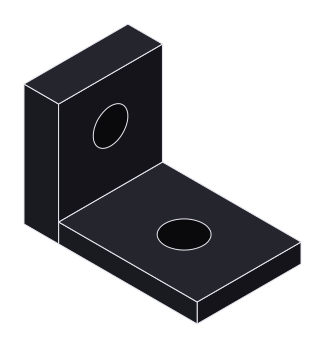
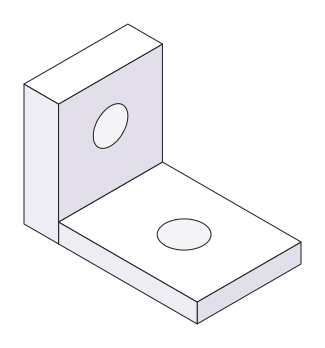
Morpha CAD
From sketches, extrusions and fillets to assemblies and JIS-compliant drawings. Free for personal, non-commercial use and learning. For business, there are Standard and Pro, which adds analysis (coming soon).
Learn more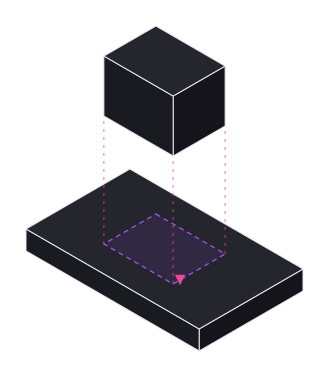
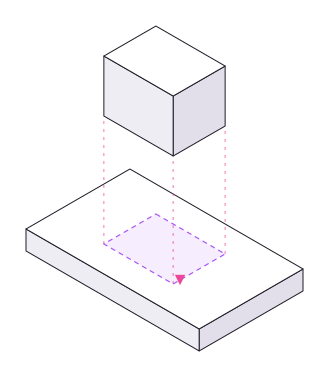
Assembly Animation
Create assembly steps from your assemblies and export them as a video (MP4) and an instruction sheet (PDF).
Learn more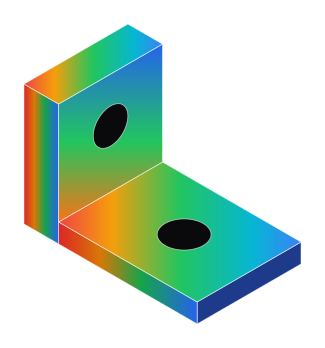
CAE (Structural Analysis)
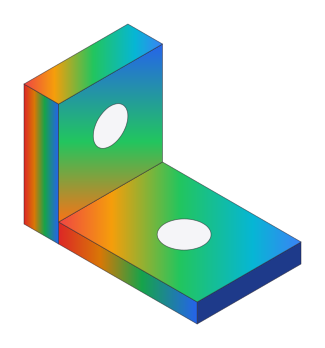
Go from meshing to analysis and results, right on the model you designed. Available in Pro once it is ready.
Learn more
Morpha Agent
An AI that runs only on your PC and operates Morpha in plain words, without your data leaving the company.
Learn morePlans and pricing
Personal, non-commercial use and learning are free. For use at work, choose Standard or Pro.
For personal, non-commercial use and learning
- Same features as Standard
- Download without signing up
The download is the Beta for now (until March 31, 2027)
For use at work (¥3,000 if paid monthly)
- Modeling, assemblies and drawings
- Connect AI (MCP) and the Python API
- Licensed for business use at companies of any size
On sale from early 2027. Until then, the Beta is free for business use too
For business use with analysis and advanced features (pricing will be announced when Pro goes on sale)
- Everything in Standard
- Assembly Animation and CAE
- Advanced surfaces and gears
On sale once CAE is ready. Pro features are not in the Beta (a trial will open once it is ready).
Licenses and subscriptions live on your account page.
Check your licenses, change or cancel subscriptions, and change your payment method. Sign in with the same account you use in Morpha.