
Standard,
plus analysis and advanced features.
Pro adds Assembly Animation, CAE (structural analysis), advanced surfaces, the machine element pack and PMI to everything in Morpha CAD Standard. Verify and explain the very model you designed, all in one app.
Pro goes on sale once CAE is ready. Pro features are not in the Beta. A trial will open once it is ready.
Everything in Standard, and more.
Modeling, assemblies, drawings, the API and MCP are the same as in Standard. Pro adds the following.
Assembly Animation
Build assembly steps from an assembly and export the parts moving into place as a video (MP4) and a step-by-step guide (PDF). Ideal for explaining work on the shop floor or writing manuals.
Learn moreCAE (structural analysis)
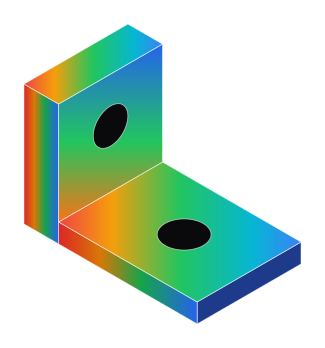
Mesh the model you designed without exporting it, set materials and conditions, run the analysis and check deformation and stress in color.
- Static analysis (with contact), natural frequencies and buckling
- Heat transfer and thermal stress
- Solved with CalculiX
Advanced surfaces
For shapes where smoothness matters, such as exterior parts and molds.
- Surfaces from curve networks, joined to neighbors with G1 or G2
- Smooth bridge surfaces between two faces
- Curvature-continuous (G2) fillets
- Zebra stripes, curvature colors and point curvature to check surface quality
Machine element pack (gears)
Create involute spur and helical gears in a single operation from values such as module, number of teeth and pressure angle.
- Profile shift, bore and a tool-cut root shape
- The gear is an ordinary solid you can drill or combine with Booleans
PMI (3D dimensions and geometric tolerances)
Attach datums, dimensions with tolerances and geometric tolerances (14 types such as flatness, perpendicularity and position) to faces of the 3D model, and hand them over in STEP (AP242) to customers and inspection software.
- Dimension values are measured from the shape and follow changes
- Viewing PMI and importing/exporting it in STEP are available in every plan
From the API and MCP, too
Pro features can also be called from the Python and C# API and from MCP. Ask your AI app to make gears, check surfaces or build assembly animations (Assembly Animation and CAE are in development).
Basic surfaces (guided lofts, two-rail sweeps, trimming, joining and turning surfaces into solids) and G1 fillets are also available in Standard.
Compare the plans
| Feature | Free | Standard | Pro |
|---|---|---|---|
| Use | Personaland learning | Business | Business |
| Sketches, solid features and sheet metal | ✓ | ✓ | ✓ |
| Assemblies and drawings (PDF, DXF) | ✓ | ✓ | ✓ |
| Basic surfaces and G1 fillets | ✓ | ✓ | ✓ |
| STEP (AP214, AP242, AP203) import and export, IGES import, STL export | ✓ | ✓ | ✓ |
| API and MCP | ✓ | ✓ | ✓ |
| Assembly Animation | — | — | ✓In development |
| CAE (structural analysis) | — | — | ✓In development |
| Advanced surfaces | — | — | ✓ |
| Machine element pack (gears) | — | — | ✓ |
| Viewing PMI, STEP import and export of PMI | ✓ | ✓ | ✓ |
| Creating and editing PMI (3D dimensions and geometric tolerances) | — | — | ✓ |
| Price (yearly) | ¥0 | ¥30,000 | TBA |
✓ means included and — means not included. Files containing work made with Pro features can still be opened, viewed and exported in Standard and the free edition (creating and editing them requires Pro).
Pro pricing
Pricing will be announced when Pro goes on sale, once CAE is ready. Pro is for companies of any size. A trial will open once it is ready.
If you do not need analysis or advanced features, choose Standard (¥30,000 per year).
For business use with analysis and advanced features
- Everything in Standard
- Assembly Animation
- CAE (structural analysis)
- Advanced surfaces
- Machine element pack (gears)
- PMI (3D dimensions and geometric tolerances)
Pro goes on sale once CAE is ready, and pricing will be announced then. Pro features are not in the Beta.